
StoragePilot
See what is filling your C: drive, what is safe to clear, and clear it without guesswork.
A free Windows 10/11 app that explains where disk space went — caches, developer tools, apps and system files — labels each item by risk, and clears only caches that rebuild themselves.

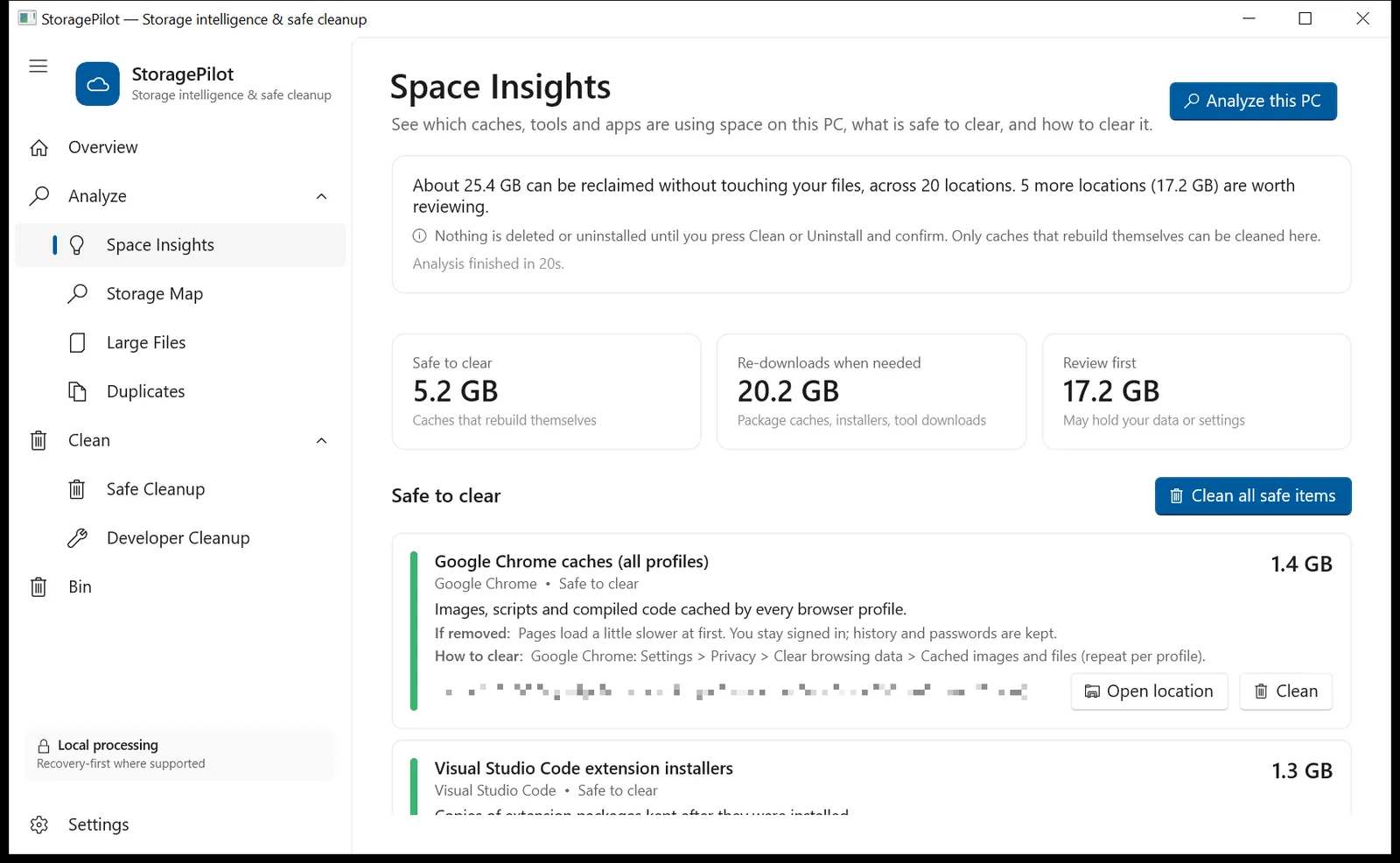
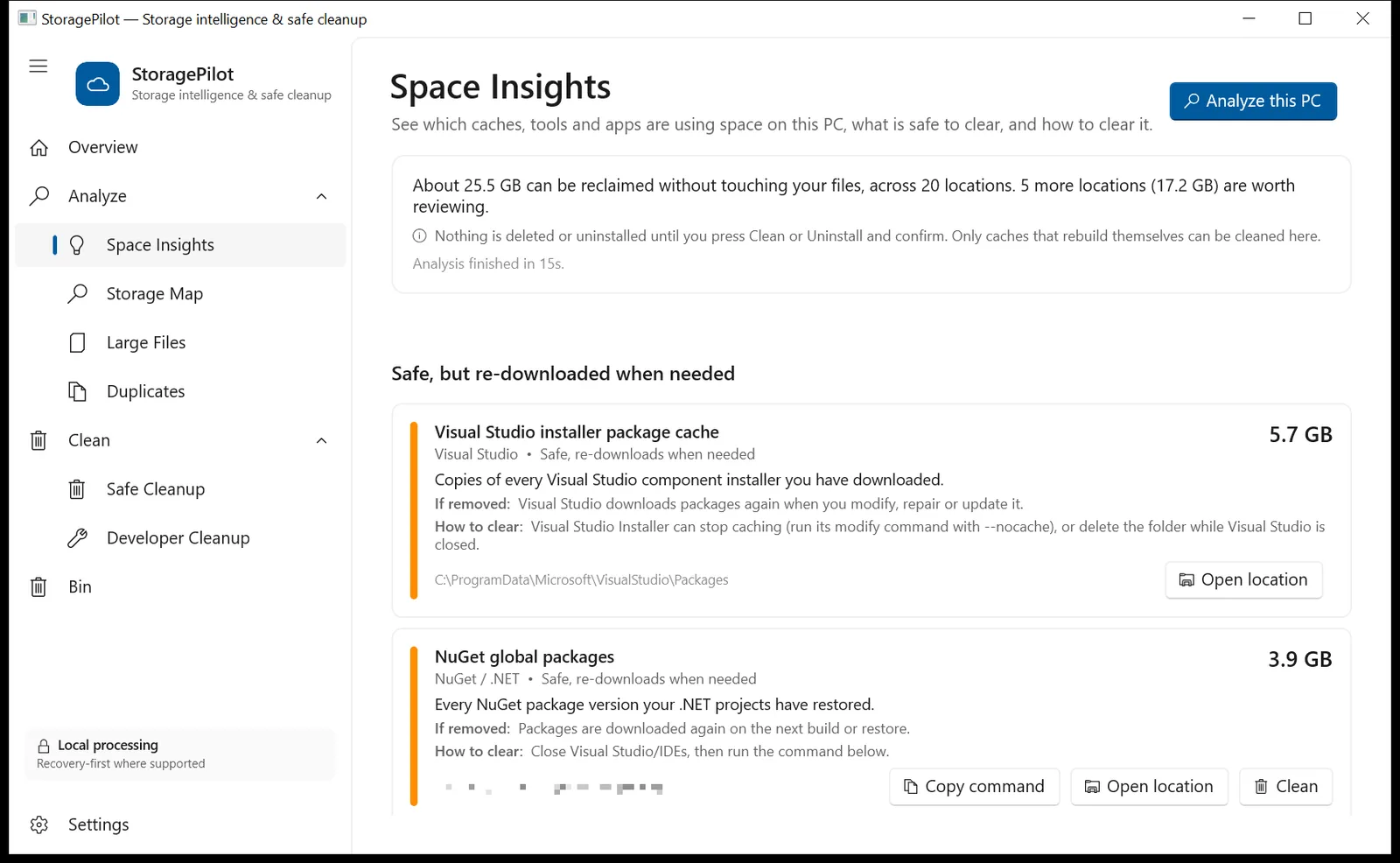
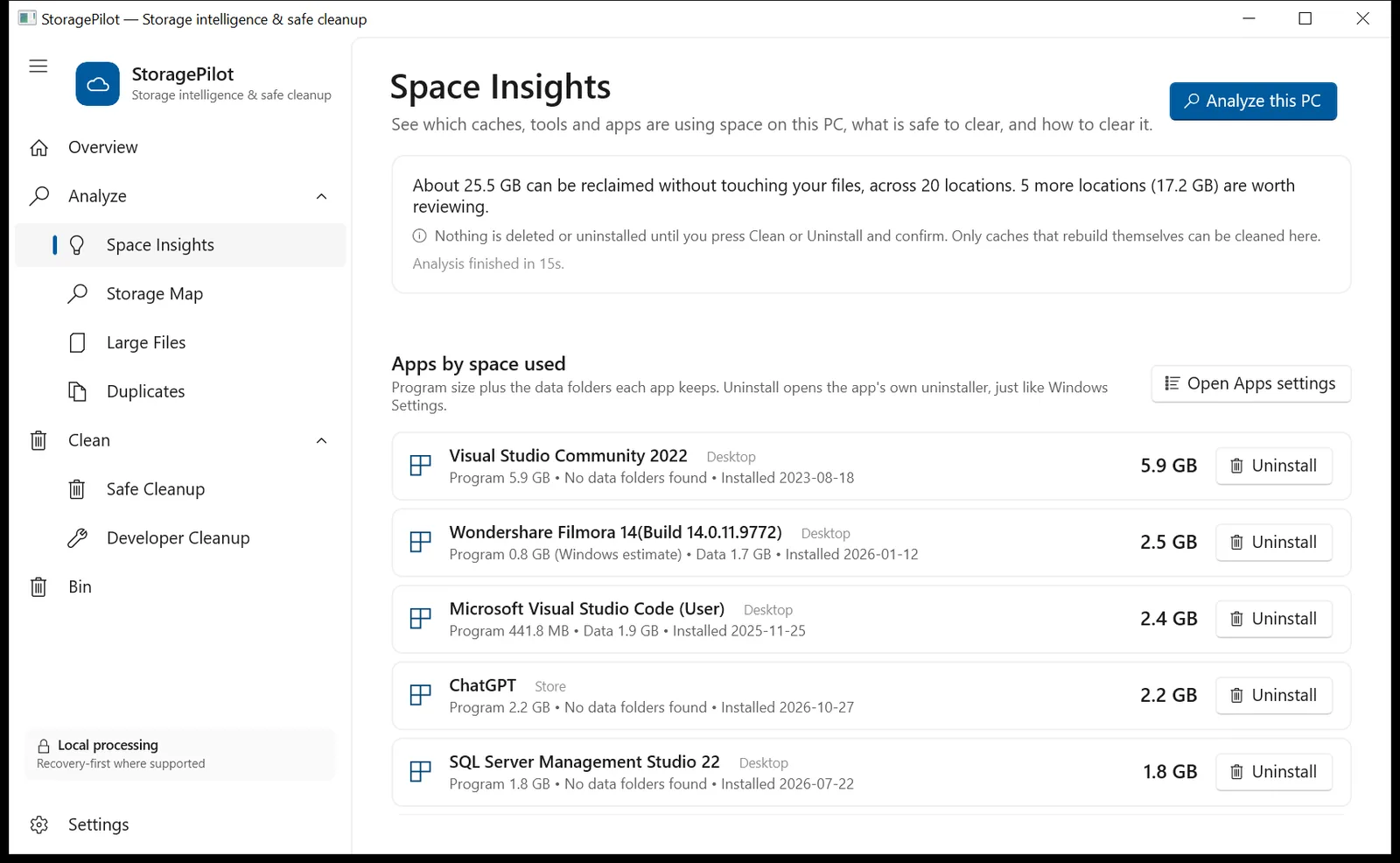
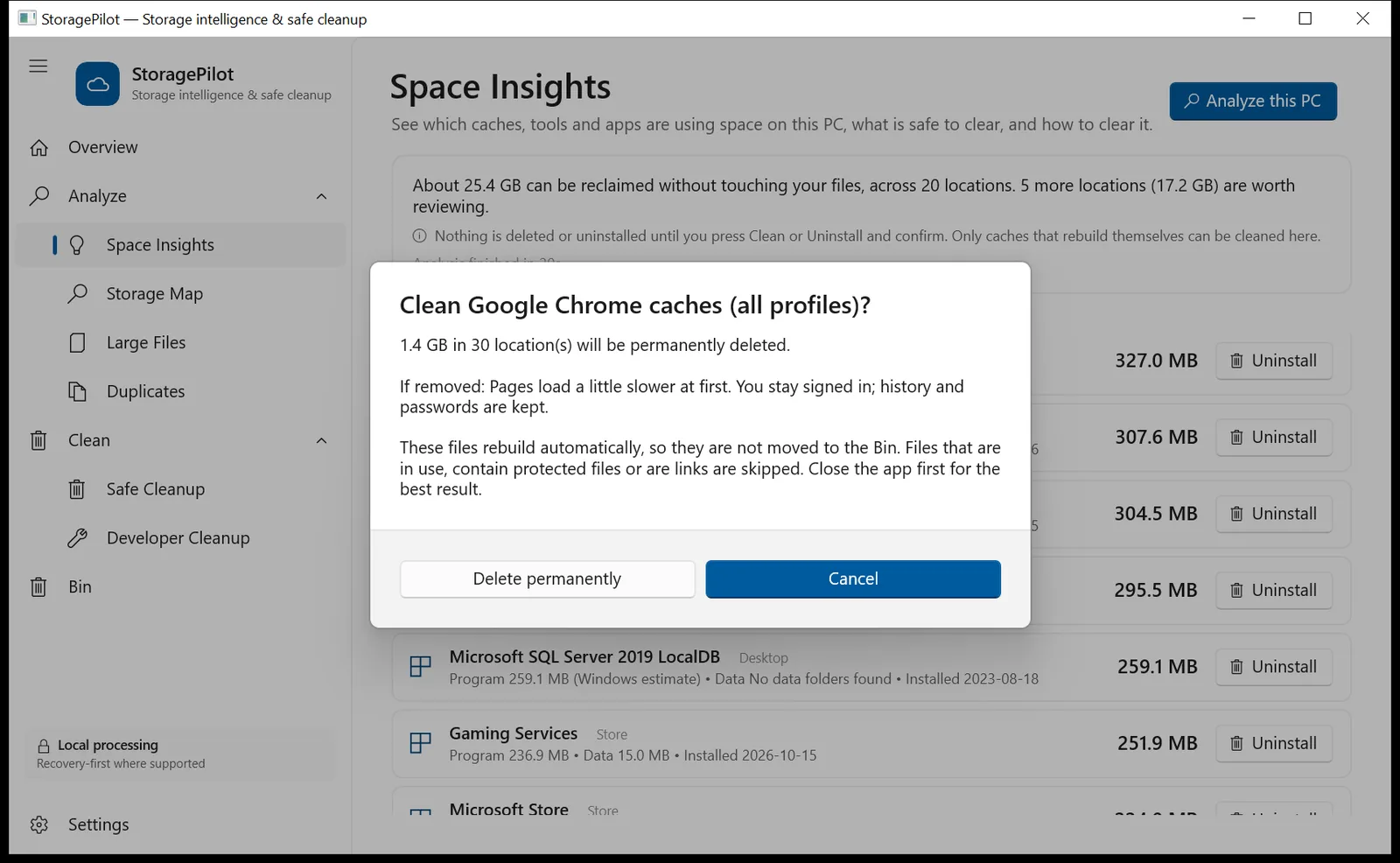
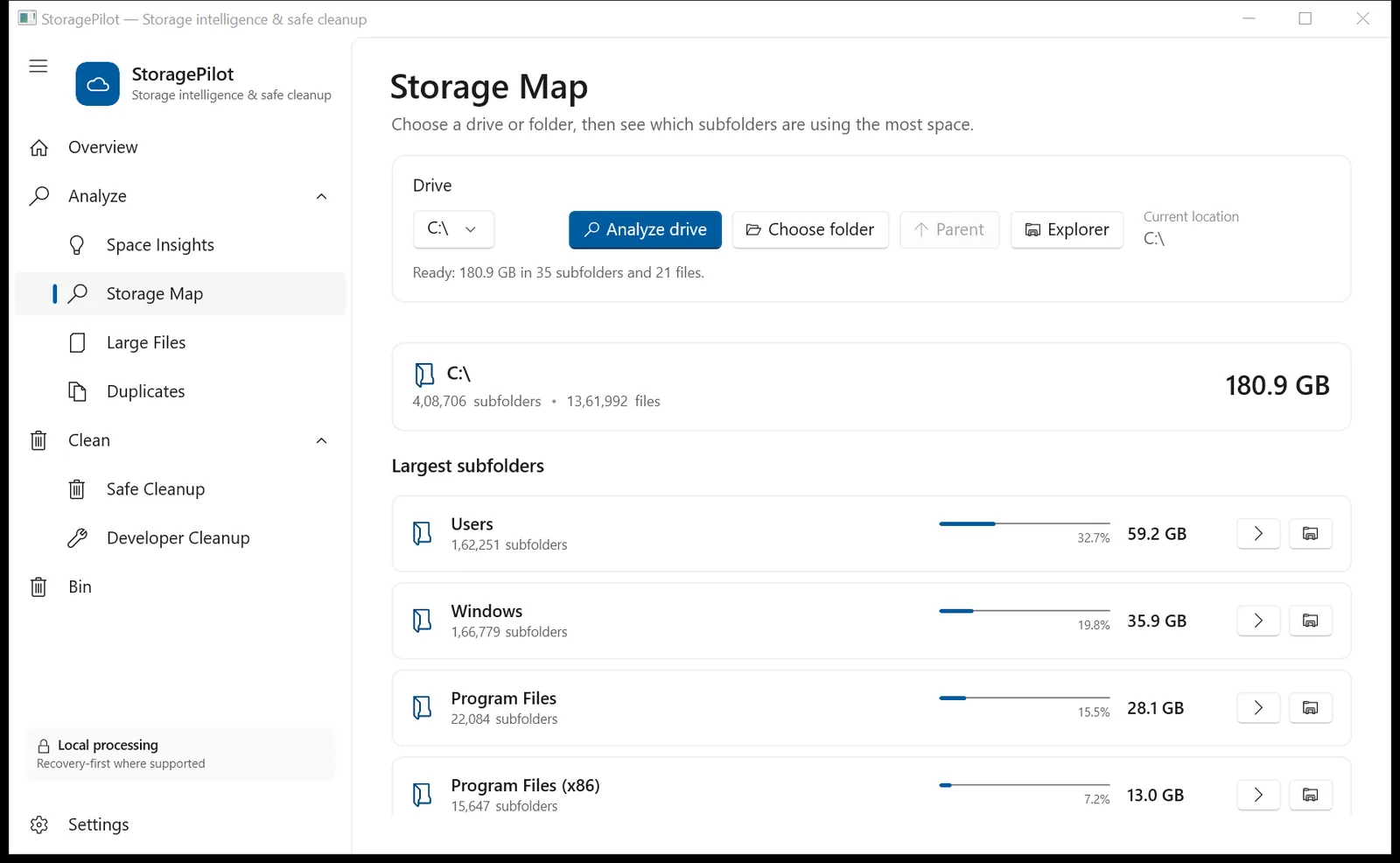
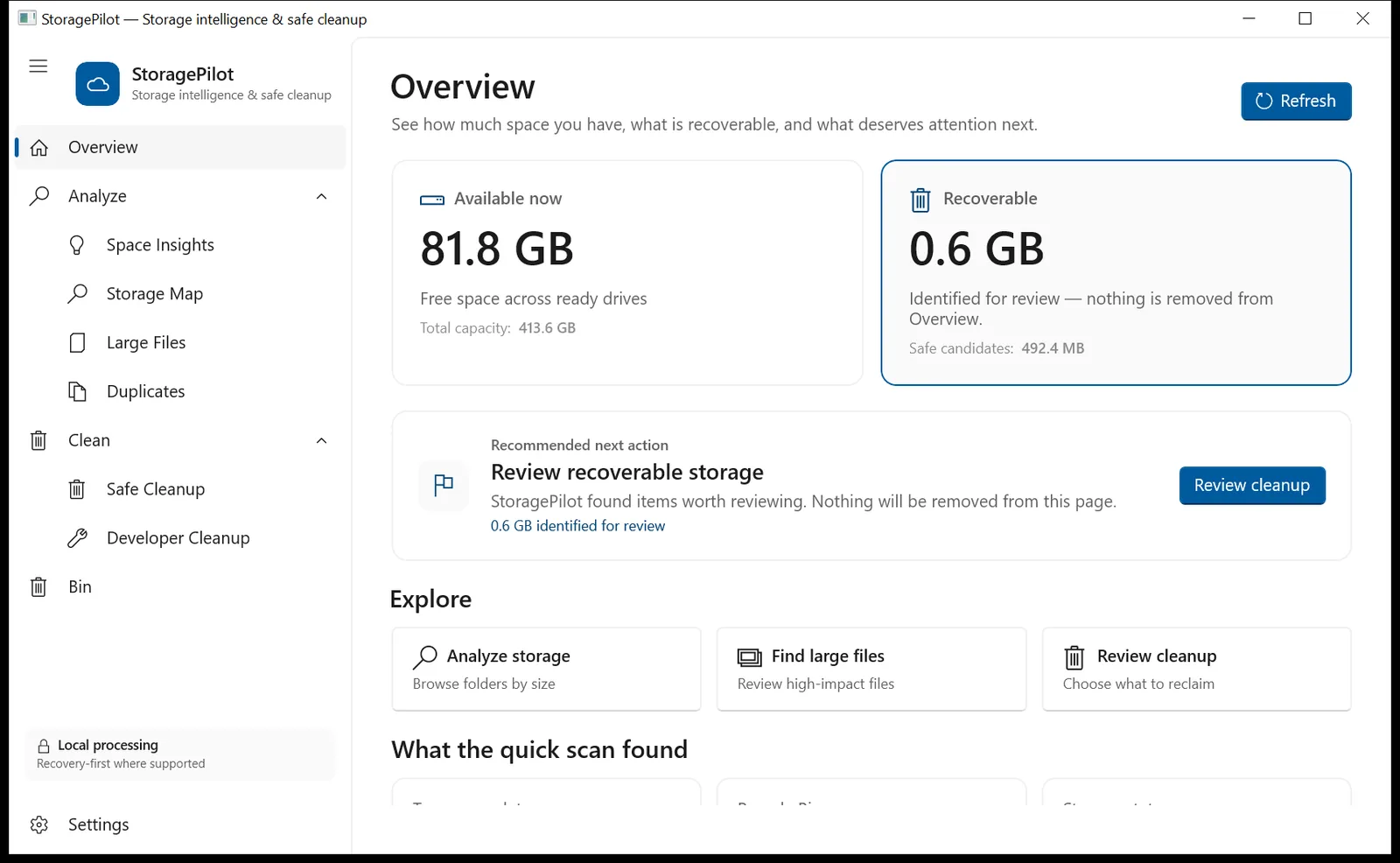
StoragePilot on a real Windows PC.
The problem StoragePilot solves.
Most disk cleaners ask for trust and then delete things. StoragePilot starts by explaining: it measures well-known locations on your PC, says what each one is, what happens if it is removed and how to clear it yourself, and only then offers a button.
Items are labelled Safe to clear, Re-downloads when needed, Review first or Leave alone. Only caches that rebuild themselves can be cleaned in the app, and every clean asks for confirmation. Folders that are in use, contain project or source files, or are links are skipped intact.
Uninstall works the way Windows Settings does: StoragePilot opens the app's own uninstaller. Large files and duplicates can be moved to the StoragePilot Bin first, so a mistake can be undone.
Everything runs locally. StoragePilot has no account, never sends file names, paths or contents anywhere, and has no booster or registry-cleaner tricks — it is disk-space housekeeping, explained.
Built around a few things done well.
Space Insights
One analysis covers browser, editor, app and developer caches plus system files, with what each is and how to clear it.
Risk labels, not guesses
Safe to clear, Re-downloads when needed, Review first or Leave alone — the page file and Windows Installer cache are never offered for deletion.
Developer caches
npm, Yarn, pip, NuGet, Gradle, Maven, Cargo, Go, Flutter/Dart, Playwright and Cypress caches, with the official clean-up command to copy.
Real app sizes
Each installed app with its program size plus the data folders it keeps, and an Uninstall button that opens the vendor uninstaller.
Storage Map
Every folder on a drive with its true recursive size, including pagefile.sys and hiberfil.sys at the drive root.
Large files and duplicates
Find large files and byte-for-byte duplicates; you choose the copy to keep and the rest goes to the StoragePilot Bin.
Get StoragePilot 0.9.0 beta
- Installs for your Windows account only and adds StoragePilot to the Start menu.
- Includes everything it needs — no separate .NET or Windows App Runtime install.
- The beta is not code-signed yet, so SmartScreen may warn; compare the SHA-256 checksum before running.
System requirements
- Windows 10 (1809 or later) or Windows 11
- 64-bit (x64) PC
- About 220 MB of free space
- No administrator rights needed
Verify the file
StoragePilot-0.9.0-beta-win-x64.msi · SHA-256
E1E24EBE8CE12F5D9E0ACCF2B22692B6C57A229038C0C7655D8F0CFF4A58541DPortable ZIP (80 MB) · SHA-256
ADA5CD72F2227D5EB512C951C4FF839AAFD71A5F465D4FC573A0B9A8AE9A83A9In PowerShell: Get-FileHash .\StoragePilot-0.9.0-beta-win-x64.msi
StoragePilot FAQ
Is StoragePilot free?
Yes. The public beta is free to download and use on Windows 10 and Windows 11 (64-bit).
Will StoragePilot delete my files?
Nothing is deleted until you press Clean or Uninstall and confirm. Only caches that rebuild themselves can be cleaned in the app; anything that may hold your data is labelled Review first and only explained.
Why does Windows SmartScreen show a warning?
The beta installer is not code-signed yet, so SmartScreen may say the publisher is unknown. Check that the SHA-256 checksum on this page matches the file, then choose More info › Run anyway.
Does it need administrator rights?
No. StoragePilot installs for your Windows account only and runs without elevation. Some uninstallers ask for administrator permission themselves.
Does StoragePilot upload anything?
No files or file information. Analysis and cleaning happen on your PC, there is no account, and file names, paths and contents are never sent. From version 0.9.1, StoragePilot checks nbound.in for updates once a day; that request carries only a random ID created on your PC and the app version, which also lets us count how many installs are in use. You can turn it off in Settings › Updates, and StoragePilot then never contacts nbound.in.
How do I uninstall StoragePilot?
Use Settings › Apps › Installed apps › StoragePilot (Beta) › Uninstall. Your StoragePilot settings and Bin in %LOCALAPPDATA%\StoragePilot are kept unless you delete that folder.
Learn more on the NBOUND.IN blog.
How to free up space on the C: drive safely
A real case: from 0.6 GB free to 34 GB, step by step, without deleting personal files.
Read the guide →Developer caches eating your disk
npm, Gradle, NuGet, pip and browser-test caches: how big they get and how to clear them.
Read the guide →Which apps use the most disk space on Windows?
Why Settings under-reports app size and how to see program plus data together.
Read the guide →More from NBOUND.IN
Other projects from the same independent software initiative.

Reconce
Record a browser workflow once and turn it into a structured guide, QA evidence and a polished local demo video.
- Chrome
- Web

NBOUND.IN Tools
Fast, focused PDF, image, calculator and developer utilities designed to solve one task well without unnecessary friction.
- Web
EasyPayPing
Invoice creation, hosted invoice pages and automated, polite payment reminders for freelancers and small agencies.
- Web